
Weighing
How to specify a tank weighing system
Six decisions that specify a tank or vessel weighing system: vessel, range, load cells, side loads, signal and installation.
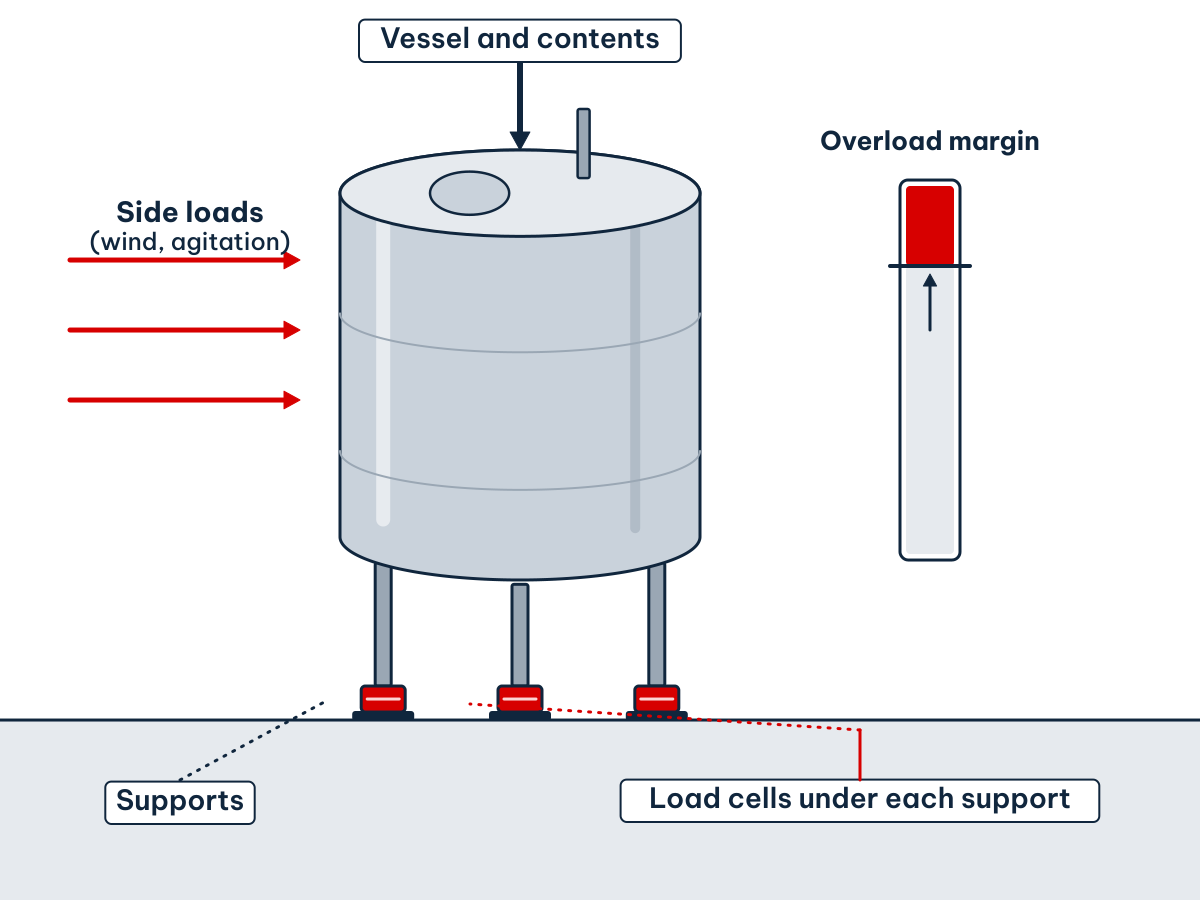
A weighed tank tells you how much is inside without relying on level, flow or manual checks. Six decisions specify the system well.
1. Define the vessel
Note the empty weight, the maximum contents, and the number and position of the supports. A vessel on three supports behaves differently from one on four, and supports that carry unequal loads need attention.
2. Define the range and the resolution
The range is the largest weight you need to read. The resolution is the smallest change you want to see. Asking for a very fine resolution on a very large vessel is difficult, so decide what the process really needs.
3. Choose the load cells
Choose the type and the number of load cells with a safe margin above the maximum load. Hydrostatic load cells are an option where the area is wet, corrosive or hard to reach. Electronic load cells suit dry, clean areas.
4. Plan for side loads and piping
Wind, agitators and thermal movement push sideways. Use restraints that allow vertical movement but control sideways movement. Connect pipes with flexible joints so that they do not carry part of the load.
5. Choose the signal and the display
Decide where the reading is needed: a local indicator, a control system, or both. Choose the output and the cable or tubing route early.
6. Plan installation and calibration
Use level, rigid supports and protected routes. Plan the calibration with known test weights or known volumes. Calibrating after installation checks the whole system, not only the load cells.
Next step
Send the vessel drawing, the capacity range, the cleaning method and the area requirements. HearS will reply with questions or a proposal. See also tank and vessel weighing.
Keep reading
Choosing electrical insulation tape
How to choose electrical insulation tape: the film, the adhesive, the temperature and the size, with practical wrapping tips.
Read the article: Choosing electrical insulation tapeChoosing heat shrink tubing: ratio, wall and sizing
How to choose heat shrink tubing: read the sizes, work out the shrink ratio with an example, and pick the wall type and material.
Read the article: Choosing heat shrink tubing: ratio, wall and sizing
Need help with this?
Tell us about your application and we will reply by email.